Best POS Systems for a Small Restaurant or Café in South Africa (2026)
How to choose a POS for a small restaurant or café in South Africa: card acceptance, loadshedding, VAT and SARS, tables and kitchen, and what it really costs once transaction fees are counted.
Commerce & tax, Accra, Ghana
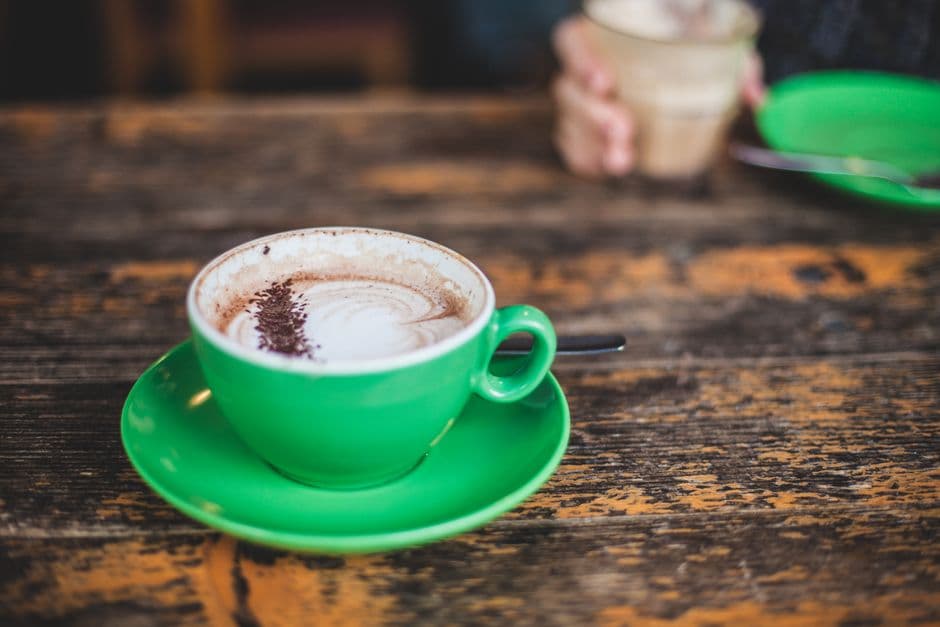
Friday night in Cape Town, the card machine is busy and the lights go out
It is a Friday night at a small café in Observatory. Two tables want to pay by card, someone else is trying SnapScan, and the single card machine is doing the rounds of the floor. Then loadshedding hits. The router blinks out, the cloud till on the counter freezes, and for the next ten minutes nobody can ring up a sale or print a slip, even though the card machine itself still has battery.
That night the problem is not the card machine. The card machine takes the card fine. The problem is everything around it: taking the order, sending it to the kitchen, tracking tables, keeping card, cash and SnapScan apart, and closing the day with a number you trust. That is the job of a POS, not a card reader, and in South Africa plenty of owners still buy the reader and forget the till.
This guide compares the kinds of POS you will actually look at for a small restaurant or café here, what matters most in South African conditions, and how to choose without paying for features you will never touch.
What actually matters when you choose in South Africa
Before comparing names, set your criteria, because that is where most bad buys happen. For a small restaurant or café here, five questions decide almost everything.
Does it record card cleanly, alongside cash and SnapScan? Does it keep working through loadshedding, on battery, with no internet? Does it keep you right with VAT and SARS without double-typing everything into another system? Does it genuinely handle tables, the kitchen and the floor, not just a shop counter? And what does it truly cost once you add the monthly fee and the slice taken off every card sale? Keep those five in front of you. Everything else is demo sparkle.
The kinds of tools you will compare
The South African market sorts into four families, and knowing which one you are shopping in saves you weeks.
Card-machine-first tools, Yoco and iKhokha above all. You get a physical reader plus free basic POS software, and they earn from a fee on every card sale (roughly 2.75% to 2.95% at the time of writing, iKhokha a touch lower, Yoco adding a small daily device fee, so check the current rates). Great if you are almost all card and low volume. Weak on real hospitality workflow: tables, kitchen tickets, stock.
Full hospitality suites, like GAAP, Lightspeed or MangoPOS. Deep floor and kitchen features built for restaurants. The trade-off is price and weight, and often a proper monthly fee. Sensible for a busy sit-down restaurant, oversized for a small café.
Global cloud tills, like Loyverse. Free or cheap and tidy, but built for places with constant internet, so loadshedding hurts, and South African VAT is not their focus.
Offline-first mobile apps, like digabloPos. They run on an Android phone or tablet, handle the restaurant, and keep selling with no power to the router and no signal. Often the right fit for an independent café or restaurant that wants a real till without a heavy contract.
| Family | Examples | Offline / loadshedding | Starting price | Best for |
|---|---|---|---|---|
| Card-machine-first | Yoco, iKhokha | Device battery only | ~2.75-2.95% per card sale | Almost all card, low volume |
| Full hospitality suite | GAAP, Lightspeed, MangoPOS | Varies | Monthly fee | Busy multi-branch sit-down |
| Global cloud till | Loyverse | Weak | Free to cheap | Constant power and internet |
| Offline-first mobile app | digabloPos | Yes, on device battery | Free to start | Independent café or restaurant |
A card machine and a POS are not the same thing
Here is the confusion that costs the most. Yoco and iKhokha are card machines that happen to include a simple till. They are brilliant at taking a card and earning their fee on it. They are not built to run a restaurant floor, and their real cost is that slice off every single card sale, which on a busy month is a large number.
A POS sits above the card machine. It records that the table paid by card, next to cash, SnapScan, PayShap, Ozow or Capitec Pay, and it keeps them apart so your close balances. The strong position is a till that is not locked to one payment provider: you keep the card machine you already have, mix in QR and instant-EFT methods, negotiate your own card rates, and switch later without ripping out your whole system. A till sold in one bundle with its reader locks you into that reader's fees for good.
And you do not have to drop what works. If your Yoco or iKhokha reader is fine, keep it, and put a real hospitality till on top to run the floor. You get proper tables, kitchen tickets and stock without losing your card acceptance or renegotiating a thing. The card keeps flowing through the reader you trust; the POS handles everything the reader was never built to do. That is usually the cheapest, least disruptive way to go from a card-machine-with-a-basic-till to an actual restaurant system.
Loadshedding is the real test
Nowhere else makes this as obvious. When the stage jumps and the power goes, a till that needs the internet, or mains power for a fixed terminal, simply stops, and your full café stands still with a queue at the counter.
Ask for offline mode and test it properly. A good till records the sale on the device, prints the slip, and uploads everything by itself when the power and signal come back, with nothing for you to remember. On a phone or tablet it rides the device battery straight through the outage. This is a pass-or-fail line in South Africa, not a nice-to-have. Pure cloud tills fail it; offline-first apps are built for it. The card itself still needs the card machine's own battery and mobile signal, but your till must at least keep taking the order and printing.
VAT and SARS: staying right without double work
If you are VAT-registered, every sale carries 15% VAT, and SARS expects clean records behind your returns. The classic trap is a till that sells on one side and leaves you retyping totals into accounting on the other. That double handling is exactly where the errors breed.
What you want is a till that records each sale with its VAT, produces a clear end-of-day report, and hands your bookkeeper totals they can use directly. Ask the vendor plainly: how do I get my VAT totals and my daily takings report out of this? If the answer wanders, keep looking. And if you are not yet at the VAT threshold, a till that already tracks it cleanly means you are ready the day you cross it, with no scramble.
Tables, kitchen and the floor
This is where a real restaurant till pulls away from a shop counter till. The waiter takes the order at the table, it reaches the kitchen straight away, with no paper slip lost between the floor and the pass. The table map shows who is waiting on what, who has paid, who still owes.
With more than one waiter, the till has to be shared: a table opened by one is picked up by another, and the bill holds everything added to it, nothing dropped or double-counted. Splitting the bill, when a table wants to pay separately, one by card, two by SnapScan, has to take seconds. A café that only serves over the counter needs less than this. A sit-down restaurant needs all of it, and a till that cannot do it will lose you more on the floor than you ever saved at purchase.
What it really costs
Count three lines, not one. Hardware first: an Android phone or tablet, often the one you already own, a thermal printer for slips, and a card machine from your provider. The printer is a modest one-off; the card machine follows Yoco's or iKhokha's pricing.
Software next. Full suites charge a real monthly fee. Global cloud apps are cheap or free but weak on loadshedding and VAT. Offline-first apps like digabloPos start free, and you only pay for advanced modules if you need them. Then the line owners forget: transaction fees. A 2.75% to 2.95% slice off every card sale is, for many cafés, the biggest cost of all, far bigger than any software fee. Reason in total cost over a year, card fees included, not the sticker price of the app.
Where digabloPos fits
To be straight about it: digabloPos is not a card machine and does not replace your Yoco or iKhokha reader. It is the till that sits above it. It runs on the Android phones and tablets you already have, handles tables, kitchen and stock, keeps selling and printing when loadshedding takes the power, and records card, cash and SnapScan separately so your close balances.
It starts free, so you can test it in a real service before spending a rand, and it does not lock you into one payment provider's fees: you keep your card machine and your rates. For an independent café or restaurant in Cape Town, Joburg or Durban that wants a serious till without a heavy monthly contract, it is an honest candidate. For a large multi-branch sit-down operation with deep integrated accounting, a suite like GAAP or Lightspeed may fit better, and that is worth saying.
Coffee shop or sit-down restaurant: match the till to the service
The phrase "restaurant POS" hides three different jobs, and paying for the wrong one is a common mistake. A coffee shop or takeaway sells fast over a counter, with no table service: what matters is quick checkout, keeping card, cash and SnapScan apart, a clean slip, and offline mode for loadshedding. A fancy floor plan is beside the point. A simple app on a phone or tablet is plenty, and a full suite would be money burned.
A sit-down restaurant needs the table map, kitchen tickets, bill splitting and a till shared across waiters. That is the heart of the job, and a till that skips it will cost you on the floor. A larger multi-branch operation then adds branch management, detailed stock and integrated accounting, and that is where a suite like GAAP or Lightspeed earns its fee.
Before you compare prices, place yourself. A small coffee shop in Woodstock and a busy sit-down restaurant in Sandton are not shopping for the same tool, and the trap is buying the big one because it "does more". The right till does exactly what your service needs, no less and not twice too much.
Mistakes that cost South African restaurants
The first, we said it: buying the card machine and thinking it is a till, then having no real way to run the floor. The second: choosing a pure cloud till and meeting the problem on the first night of stage 4. The third: buying an oversized suite and paying for twenty modules to use three.
The fourth is ignoring transaction fees. Owners obsess over a R200 monthly software fee and shrug at 2.9% on every card sale, which is usually the far bigger number. The fifth is skipping staff training: the best till in untrained hands produces wrong numbers, and wrong numbers are worse than none. The last, and quietest: not closing the day. The cash, card and SnapScan check takes five minutes and shows a gap the same night, instead of a month later when nobody can explain it.
How to decide in a week
Do not buy off a brochure. In a week you can decide for real. Days one and two: load your menu into two or three free candidates and run an actual service on each, with your usual method beside them. Day three: cut the power or the internet mid-test and see which ones carry on. Day four: take a card payment on your machine and check the till keeps card, cash and SnapScan apart at close. Day five: pull the VAT report and show your bookkeeper.
By the end of the week one candidate stands out, and it is not always the best known or the most expensive. Because digabloPos is free to start and runs on the hardware you already own, it costs nothing to put in that comparison. The till you want is the one that runs your floor without fuss, balances every night, and does not stop the moment the lights go out.
Frequently asked questions
Is Yoco or iKhokha enough, or do I need a separate POS?
Yoco and iKhokha are card machines with a simple built-in till. They take cards well and earn a fee on each one, but they are not built to run a restaurant floor: tables, kitchen tickets and stock are weak. For a sit-down café or restaurant, pair your card machine with a proper POS that records the card payment alongside cash and SnapScan and actually manages the floor.
What is the best POS for a small restaurant or café in South Africa?
There is no single answer, it depends on your size. A busy multi-branch restaurant may want a full suite like GAAP or Lightspeed. An independent café or restaurant is often better served by an offline-first Android app like digabloPos that keeps working through loadshedding and starts free. Test two or three free candidates for a week before you commit.
Which POS keeps working during loadshedding?
An offline-first POS that runs on a phone or tablet keeps selling on the device battery with no internet, records every sale, and uploads it when the power returns. Pure cloud tills freeze when the router loses power. digabloPos is built offline-first for exactly this. The card machine itself relies on its own battery and mobile signal, but your till should never be the thing that stops the queue.
How much does a restaurant POS really cost in South Africa?
Count hardware (an Android phone or tablet, a thermal printer, a card machine), software, and transaction fees. The fee of roughly 2.75% to 2.95% on every card sale is usually the biggest cost, larger than any monthly software fee. Full suites charge a real monthly fee; digabloPos starts free. Compare total cost over a year, card fees included.
Does the POS handle VAT and SARS reporting?
A good POS records each sale with its 15% VAT, produces a clear daily takings report, and gives your bookkeeper totals they can use directly, with no retyping. Ask the vendor how you get VAT totals and the daily report out of the system. If it is vague, keep looking, because retyping totals into accounting is the main source of errors and SARS headaches.
Also on digabloPos
Sources and references
Run your café on a till that survives loadshedding
digabloPos handles tables, kitchen and stock, records card, cash and SnapScan separately, and keeps selling when the power goes. Free to start on the Android phone or tablet you already own, with no lock-in to one card provider.
Try for free